Digital Marketing & AI course
A 3-month practical course. Students learn how businesses get customers online, from making a website to running Google and Instagram ads, and finish with real work to show employers.
What does the MDA digital marketing course cover?
In 12 weeks students learn to: understand customers, make a business website, get a business found on Google and Google Maps (SEO), plan social media posts, run ads on Google, YouTube, Facebook and Instagram, measure the results, and use AI tools like ChatGPT. The last week is a final project plus help with certificates, CV and interviews.
| Duration | 12 weeks (3 months) |
|---|---|
| Formats | Narnaul classroom, Morning 9:00–10:30 AM · evening (time to be announced); or live online 9:00–10:30 AM IST, daily except Tuesday |
| Batch size | Maximum 10 students |
| Language | Hindi + English; English-only international batches |
| Fee | ₹45,000 + GST (₹53,100) in India · US$550 outside India |
| Level | Beginner to intermediate, no experience needed |
| Certificates | MDA course certificate · help to pass Google's free online certificates |
| Assignments | 12, one finished piece of work every week |
| Demo | Free every Sunday at the Narnaul centre from Sunday, 13 December 2026 |
What makes this course different
Small batches of 10
The teacher knows every student by name and checks each one's work. No one gets lost at the back of the class.
Learn by doing
Every week, students do real work for real local shops and institutes. By the end they have 12 pieces of work to show.
AI tools like ChatGPT
Students learn to use ChatGPT and similar tools to write, plan and design faster, and to check that the answers are correct.
Certificate
An MDA certificate at the end, plus help to pass Google's free online certificates.
Taught in Hindi and English
Everything is explained in simple words, in the language students are comfortable with.
Morning, evening or online
Classroom 9:00 to 10:30 AM (an evening batch is coming), or join live online from home.
Help with jobs and freelancing
Help with CV, LinkedIn profile, interview practice, and finding first clients for freelance work.
Close to home
Our classroom is in Nasibpur, Narnaul. No need to move to Gurugram or Jaipur to learn.
Watch a live session
A short clip of Manjeet Yadav teaching. Simple automation with tools like Zapier and Make is taught in week 11.
Plain answers for parents
What is digital marketing?
It is the work of helping shops, schools, hospitals and companies find customers on the internet: on Google, YouTube, Facebook, Instagram and WhatsApp. Almost every business now needs someone who can do this.
Is it a real career?
Yes. Businesses hire people to manage their Google listing, social media pages and online ads, and many students earn by doing this work for local businesses. We are honest: no institute can guarantee a job, but we make sure students can do the work and show it.
Who teaches?
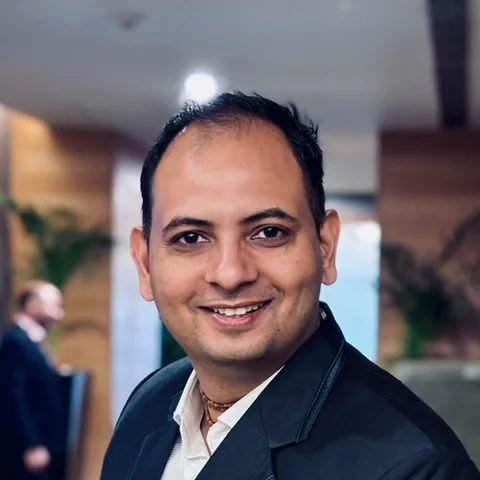
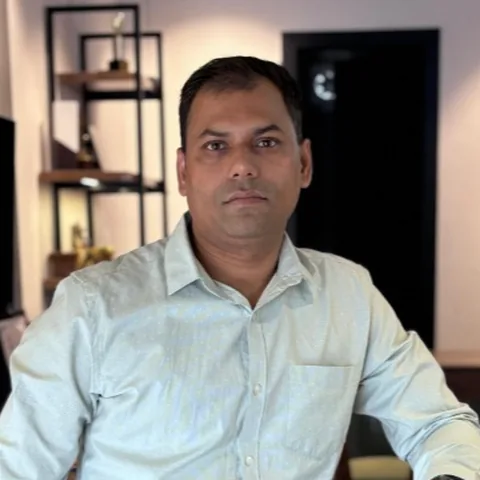
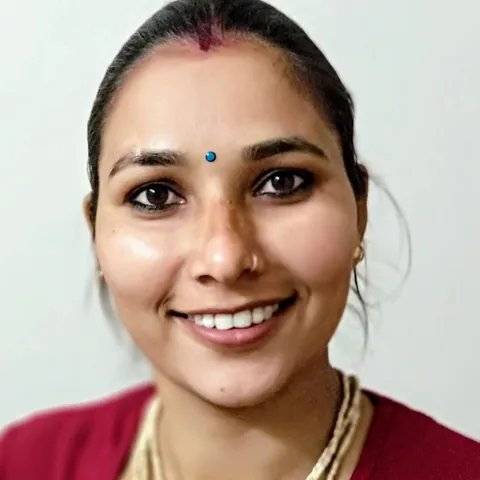
Founder Manjeet Yadav has been teaching digital marketing since 2014 and has taught more than 9,000 learners. He is supported by three trainers. You can meet them at the centre.
Is it safe and close to home?
The classroom is at Gyan Generator Gali, near Gyan Booster, Nasibpur, Narnaul. Batches are small (10 students). Parents are welcome to visit and to attend the free Sunday demo class with their child.
What does it cost?
₹45,000 + 18% GST (₹53,100 in total) for the full 3-month course, with a GST invoice. No hidden charges.
What will my child have at the end?
An MDA certificate, help to pass Google's free certificates, 12 pieces of practical work to show employers, and help with CV and interviews.
12 weeks, 12 projects
Tap any week to see the topics, tools and the assignment you will build.
Week01Digital marketing foundations
Understand who the customers are and what makes them buy.
Digital marketing foundations
Understand who the customers are and what makes them buy.In simple words: Understand who the customers are and what makes them buy.
Topics covered: How people find, compare and choose a business online. Customer research, how people decide to buy, offers, competitor comparison, and the difference between traffic, enquiries and sales. Setting goals a business can measure.
Tools: Google Trends, AnswerThePublic, competitor websites, Meta Ad Library, Google Sheets
Week02Websites, domains and WordPress
Make a website for a business, without coding.
Websites, domains and WordPress
Make a website for a business, without coding.In simple words: Make a website for a business, without coding.
Topics covered: How a website works: domain, hosting, SSL and DNS. Installing WordPress, choosing a theme, building pages with blocks, menus, forms and a WhatsApp button. Writing a home page that answers a visitor's first questions.
Tools: WordPress, a page builder, Hostinger/cPanel basics, Canva for images
Week03Landing pages and conversion
Make one page that turns visitors into phone calls and WhatsApp messages.
Landing pages and conversion
Make one page that turns visitors into phone calls and WhatsApp messages.In simple words: Make one page that turns visitors into phone calls and WhatsApp messages.
Topics covered: One page, one offer, one action. Headlines, proof, forms, click-to-call and WhatsApp buttons. Page speed and mobile checks. Watching real visitor behaviour and fixing what stops people enquiring.
Tools: WordPress, Google PageSpeed Insights, Microsoft Clarity, Google Forms
Week04SEO 1: keywords and on-page SEO
Help a business show up when people search on Google.
SEO 1: keywords and on-page SEO
Help a business show up when people search on Google.In simple words: Help a business show up when people search on Google.
Topics covered: How Google ranks pages. Search intent, keyword research and keyword grouping. Page titles, meta descriptions, headings, internal links, image SEO and helpful content that earns rankings.
Tools: Google Keyword Planner, Google Search Console, Ubersuggest/Semrush free tier, Rank Math or Yoast
Week05SEO 2: technical, local and AI search
Get a local shop or institute onto Google Maps and fix website problems.
SEO 2: technical, local and AI search
Get a local shop or institute onto Google Maps and fix website problems.In simple words: Get a local shop or institute onto Google Maps and fix website problems.
Topics covered: Indexing, sitemaps, robots.txt, schema markup and Core Web Vitals. Local SEO with Google Business Profile, reviews and citations. How AI Overviews, ChatGPT and other assistants choose which businesses to mention.
Tools: Google Search Console, Google Business Profile, Rich Results Test, Screaming Frog (free)
Week06Social media and content
Plan Instagram, Facebook and YouTube posts and short videos.
Social media and content
Plan Instagram, Facebook and YouTube posts and short videos.In simple words: Plan Instagram, Facebook and YouTube posts and short videos.
Topics covered: Choosing channels for an audience. Content pillars, Reels and short video, captions, hashtags and a posting calendar. Instagram, Facebook, LinkedIn and YouTube basics, plus community replies and reviews.
Tools: Meta Business Suite, Canva, CapCut, Instagram Insights, YouTube Studio
Week07Google Ads 1: search campaigns
Run paid ads that appear when people search on Google.
Google Ads 1: search campaigns
Run paid ads that appear when people search on Google.In simple words: Run paid ads that appear when people search on Google.
Topics covered: How the auction works. Campaign structure, keywords and match types, negative keywords, responsive search ads, assets and budgets. Setting up conversion tracking before spending a rupee.
Tools: Google Ads, Keyword Planner, Google Tag Manager
Week08Google Ads 2: Performance Max, YouTube and remarketing
Run ads on YouTube and show ads again to people who visited a website.
Google Ads 2: Performance Max, YouTube and remarketing
Run ads on YouTube and show ads again to people who visited a website.In simple words: Run ads on YouTube and show ads again to people who visited a website.
Topics covered: Performance Max, Display, Demand Gen and YouTube video ads. Audiences and remarketing. Bidding strategies, reading search-term reports, optimising for quality leads instead of cheap clicks.
Tools: Google Ads, YouTube, Google Ads Editor
Week09Meta Ads for Facebook and Instagram
Run paid ads on Facebook and Instagram, including WhatsApp ads.
Meta Ads for Facebook and Instagram
Run paid ads on Facebook and Instagram, including WhatsApp ads.In simple words: Run paid ads on Facebook and Instagram, including WhatsApp ads.
Topics covered: Campaign objectives, Advantage+ audiences, lookalikes and retargeting. Creative testing, lead forms vs WhatsApp vs website, Pixel and Conversions API basics, and judging lead quality, not just cost per lead.
Tools: Meta Ads Manager, Meta Events Manager, Meta Ad Library, Canva
Week10Analytics and reporting
Measure what worked: visitors, calls, enquiries, and explain it in a simple report.
Analytics and reporting
Measure what worked: visitors, calls, enquiries, and explain it in a simple report.In simple words: Measure what worked: visitors, calls, enquiries, and explain it in a simple report.
Topics covered: GA4 events and conversions, Google Tag Manager, UTM links, Search Console reports and a client dashboard. Explaining what happened, why it matters and what to do next.
Tools: Google Analytics 4, Google Tag Manager, Looker Studio, UTM builder
Week11AI tools, email and WhatsApp automation
Use ChatGPT and similar tools to work faster, and send follow-up messages by email and WhatsApp.
AI tools, email and WhatsApp automation
Use ChatGPT and similar tools to work faster, and send follow-up messages by email and WhatsApp.In simple words: Use ChatGPT and similar tools to work faster, and send follow-up messages by email and WhatsApp.
Topics covered: Using ChatGPT, Claude and Gemini for research, briefs, ad copy, images and reports, and checking their work. Permission-based email, WhatsApp Business catalogues and quick replies, and simple lead follow-up automation.
Tools: ChatGPT, Claude, Gemini, Canva AI, Brevo or Mailchimp, WhatsApp Business, Zapier/Make basics
Week12Final project, certification and career
Put it all together in one final project, get ready for Google's free certificates and job interviews.
Final project, certification and career
Put it all together in one final project, get ready for Google's free certificates and job interviews.In simple words: Put it all together in one final project, get ready for Google's free certificates and job interviews.
Topics covered: Bring every module together for one business. Prepare for Google's free online certificates. Portfolio, CV and LinkedIn profile, mock interviews, freelance pricing and writing your first proposal.
Tools: Google's certificate site, LinkedIn, Canva, Google Slides
Upcoming batches
Every batch is capped at 10 learners.
Friday, 11 December 2026
- Timing
- 9:00–10:30 AM
- Language
- Hindi + English
- Where
- Nasibpur, Narnaul
- Fee
- ₹45,000 + GST
Only 10 seats in the opening batch
Reserve my seatStarts December 2026
- Timing
- To be announced
- Language
- Hindi + English
- Where
- Nasibpur, Narnaul
- Fee
- ₹45,000 + GST
For college students and working people
Join the waitlistNext batch on enquiry
- Timing
- 9:00–10:30 AM IST
- Days
- Every day except Tuesday
- Language
- Hindi + English / English
- Fee
- ₹45,000 + GST · US$550
Join from anywhere in India or abroad
Ask for start dateWhat you leave with
Every part of the course ends with a piece of work students can show employers.
Make websites
Understand customers, then build a business website and a page that brings enquiries. No coding needed.
Get found on Google (SEO)
Help a business appear when people search on Google and on Google Maps.
Social media
Plan posts and short videos for Instagram, Facebook and YouTube.
Google ads
Run paid ads that appear on Google search and YouTube, and avoid wasting money.
Facebook & Instagram ads
Run paid ads on Facebook and Instagram, including ads that open a WhatsApp chat.
Measure results
Count visitors, calls and enquiries, and show the results in a simple report.
AI tools, email & WhatsApp
Use ChatGPT and similar tools to work faster, and send follow-up messages to customers.
Final project & career
Put it all together for one business. Prepare for Google certificates, CV and interviews.
Teacher feedback
The teacher checks every piece of work, and the student improves it.
Certificate and Google certificates
Finish the 12 assignments and the final project to get the MDA certificate. We also help you pass Google's free online certificates.
- MDA Certificate of Completion
- Google Ads and Analytics certification preparation
- Portfolio of 12 reviewed projects

Career paths after the course
Outcomes depend on your effort, location and the opportunities you pursue, we do not promise jobs.
Digital marketing executive
Runs day-to-day social, SEO and ads tasks for a business or agency.
SEO executive / analyst
Keyword research, on-page fixes, local SEO and reporting.
Performance marketing executive
Builds and optimises Google Ads and Meta Ads campaigns.
Social media executive
Plans content, writes captions, manages pages and community.
Content and AI marketing assistant
Writes and edits with AI tools, checks facts, plans content.
Freelancer
Offers focused services, Google Business Profile, ads, websites, to local businesses.
Business owner / family business
Markets your own shop, clinic, school, coaching centre or brand.
Working professional
Adds digital skills to sales, teaching, HR or operations work.
Course fee
Complete course fee
₹53,100 in total · GST invoice provided
What the fee includes
- All 12 weeks of live classes (classroom or online)
- 12 practical assignments, each checked by the teacher
- Notes, templates and checklists
- MDA course certificate
- Help to pass Google's free online certificates
- Help with CV, LinkedIn, interviews and freelancing
- Free Sunday demo class before you pay
Not included
- Money for running real ads (practice is done without spending)
- A website name and hosting, only if you want your own site later
- Laptop and internet connection
Ask admissions about payment options before you enrol, terms are confirmed in writing.
Classroom or online?
| Narnaul classroom | Live online | |
|---|---|---|
| Where | Gyan Generator Gali, near Gyan Booster, Nasibpur, Narnaul | From home, on a laptop or desktop |
| Starts | Friday, 11 December 2026 | Batches running now; next batch on enquiry |
| Timings | Morning 9:00–10:30 AM · evening (time to be announced) | 9:00–10:30 AM IST, every day except Tuesday |
| Duration | 12 weeks | 12 weeks (about 108 live hours) |
| Batch size | Max 10 students | Max 10 students |
| Language | Hindi + English | Hindi + English (India) · English (international) |
| Fee | ₹45,000 + GST (₹53,100) | ₹45,000 + GST in India · US$550 outside India |
| Demo | Free, every Sunday from Sunday, 13 December 2026 | On request via WhatsApp |
| Best for | Learners within ~50 km who like face-to-face teaching | Learners anywhere, working people, students outside Haryana |
Course questions
What is the fee for the digital marketing course?
The full 12-week Digital Marketing & AI course costs ₹45,000 + 18% GST (₹53,100 in total) for the Narnaul classroom and for live online learners in India. Learners outside India pay US$550. The fee covers all 12 weeks, assignments, trainer feedback, the MDA certificate and Google certification preparation.
How long is the course?
Three months (12 weeks). Live online classes run 9:00–10:30 AM IST every day except Tuesday, about 108 live hours. Narnaul classroom batches run in the morning (9:00–10:30 AM) or the evening (time to be announced).
When does the Narnaul classroom open?
The Narnaul centre opens on Friday, 11 December 2026 at Gyan Generator Gali, near Gyan Booster, Nasibpur, Narnaul. Free demo classes run every Sunday from 13 December 2026.
How many students are in a batch?
A maximum of 10 students per batch, so every learner gets individual feedback on their work.
Which language is the course taught in?
Narnaul classroom batches are taught in Hindi and English. Live online batches for India can be Hindi + English; international batches are taught in English.
Do I need any experience to join?
No. The course starts from the basics. You need to be comfortable using a computer and the internet, and to give around 5–6 hours a week to assignments outside class.
Will I get a certificate?
Yes. You receive the Master Digital Academy certificate when you complete the course and your assignments. We also prepare you for Google's free online certificates, such as Google Ads Search; those certificates are issued by Google.
Is there a free demo class?
Yes. Once the Narnaul centre opens, a free demo class runs every Sunday. Online learners can request a demo session through WhatsApp.
Do you guarantee a job?
No institute can honestly guarantee a job. We give you a portfolio of real work, Google certification preparation, CV and LinkedIn help, mock interviews and guidance on freelancing. Your results depend on your effort and the opportunities you pursue.
Do I need my own laptop?
For online learning, yes, a laptop or desktop with a stable internet connection. For the Narnaul classroom, a laptop is strongly recommended so you can practise at home; ask admissions about using a centre computer during class.
Is AI included in the course?
Yes. AI is taught throughout and in a dedicated week: using ChatGPT, Claude and Gemini for research, ad copy, images and reports, and checking their work before it goes to a client.
Can business owners join?
Yes. Many learners are shop owners, coaching-centre owners, doctors and family-business members who want to market their own business. Your assignments can use your own business.
Talk to admissions
Ask anything about the syllabus, batches or fee. We reply on WhatsApp, usually the same day.
Free counselling
Call or WhatsApp us. Tell us your goal and we suggest the right batch. Parents are welcome.
Sunday demo class
Sit in a real session at the Narnaul centre, or online on request.
Learn by doing
12 weeks of classes with practical work every week, checked by the teacher.
Certificate & career
Certificate, Google certificates, CV and interview practice.